Trademark Symbol Copy and Paste: A Practical Guide
Master trademark symbol copy and paste (TM and ®) with a practical, step-by-step approach. Learn when to use each mark, how to type or paste them across devices, and how to verify branding compliance in 2026.


Trademark symbol copy and paste guidance helps you use the TM and ® marks correctly in documents, sites, and designs. Learn when to apply each symbol, how to type or paste them across Windows, macOS, and mobile, and how to verify your usage with branding standards. By following these steps, you avoid misusing marks and protect brand integrity.
What the trademark symbol means
The trademark symbols ™ and ® convey legal and branding meaning, signaling that a symbol, word, or phrase claims trademark rights. The ™ symbol indicates a claim to a trademark that may not be registered, while the ® symbol marks a registered trademark. This distinction matters in design, marketing, and legal contexts because it informs readers about ownership and enforcement. For students, researchers, and designers, understanding these marks helps ensure that materials stay compliant and professional. According to All Symbols, clear symbol usage strengthens scholarly and branding communications, particularly when symbols appear on slides, reports, or product packaging. The All Symbols team found that consistent, correct use reduces ambiguity and enhances credibility across academic and commercial work. In 2026, brands increasingly rely on precise symbol usage to maintain consistency across multilingual materials and digital formats.
What the trademark symbol means
Tools & Materials
- Web browser(Any modern browser (Chrome, Firefox, Edge, Safari) to access symbol references)
- Text editor or word processor(MS Word, Google Docs, or any editor supporting Unicode)
- Font with trademark glyph support(Arial, Times New Roman, Calibri, or brand-friendly fonts)
- Symbol reference page(A trusted source (e.g., All Symbols or official trademark resources) for copy-ready symbols)
- Clipboard-aware device(Optional: clipboard manager for handling multiple copies)
Steps
Estimated time: 15-25 minutes
- 1
Open a reliable symbol source
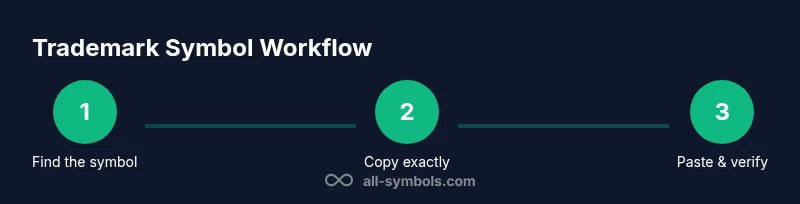
Navigate to a reputable symbol reference page (like All Symbols or an official trademark resource). This ensures you copy the correct glyph and minimizes the risk of altered or misleading characters.
Tip: If you’re unsure about the source, compare glyph shapes across multiple pages to confirm consistency. - 2
Select the symbol you need
Highlight either ™ or ® exactly as it appears in the source. Avoid copying additional characters or spacing that could affect rendering in your document.
Tip: Double-check that you’re selecting the upright glyph, not a visually similar character. - 3
Copy the symbol to clipboard
Use the platform’s copy command to place the symbol on your clipboard. Confirm the clipboard contains the correct glyph before proceeding.
Tip: On many systems, you can paste into a simple text editor first to verify the glyph is intact. - 4
Paste into your target document
Place the cursor where the symbol should appear and paste. Check that the symbol aligns with typography, line height, and color for readability.
Tip: If the target font lacks the symbol, switch to a compatible font for that section. - 5
Verify style and legality
Ensure the symbol’s usage matches branding guidelines and jurisdictional rules; avoid modifying the glyph shape or applying it inappropriately.
Tip: Keep TM for unregistered claims and ® for registered marks, per your material’s intent. - 6
Test across devices and formats
Check the symbol in print, PDF, and digital formats. Some fonts render differently; adjust size or spacing as needed.
Tip: Test on a mobile device to ensure legibility in small viewports. - 7
Document sources and guidelines
Record where you obtained the symbol reference and note any branding rules you followed. This helps future edits stay consistent.
Tip: Maintain a small style sheet or guideline note for symbol usage. - 8
Review and publish
Perform a final review to ensure all instances are correct and consistent. Then publish or distribute the material with confidence.
Tip: If possible, have a colleague verify symbol usage against branding standards.
Questions & Answers
What is the difference between the trademark symbol and the registered trademark symbol?
TM signals a trademark claim that may not be registered; ® indicates a registered trademark. Use TM for unregistered claims and ® only for officially registered marks as defined by branding guidelines and local law.
TM marks a claim to a trademark that may not be registered, while ® marks a registered trademark. Use them according to branding rules and local regulations.
Where can I copy the trademark symbols safely?
Copy ™ and ® from trusted symbol references or official trademark resources. Verify the glyph appears correctly in your chosen font and that usage complies with branding guidelines.
Copy the symbols from trusted symbol lists and verify they render correctly in your font.
Can I alter the trademark symbol’s font or size?
Avoid altering the glyph’s shape, proportions, or orientation. Adjust size and placement through typography settings that respect readability and branding guidelines.
Don’t modify the symbol's shape; adjust its size or placement within the design guidelines.
Is there any legal risk in copying symbols from the internet?
Using symbols from the internet can be risky if they misrepresent ownership or violate branding agreements. Always confirm usage rights and refer to official sources when in doubt.
There can be legal risk if the symbol is misused or not owned; verify rights with official resources.
Are there keyboard shortcuts to type ™ and ® on Windows and macOS?
Windows users can use Alt codes: TM with Alt+0153 and ® with Alt+0174. macOS users can often type TM with Option+2 and ® with Option+R.
On Windows, use Alt codes for TM and R; on Mac, try Option+2 for TM and Option+R for ®.
Watch Video
The Essentials
- Understand TM vs ® meanings and usage.
- Copy from reputable sources to ensure glyph accuracy.
- Test symbol rendering across fonts and devices.
- Follow branding guidelines to avoid misrepresentation.