How to Sign Online Documents: A Complete Step-by-Step Guide
Learn how to sign online documents securely and legally with an actionable, step-by-step workflow. This guide covers e-signatures, identity verification, security best practices, and practical tips for any device.


In this guide, you’ll learn how to sign online documents securely and legally, using e-signature tools, browser-based signing, and mobile apps. You’ll need a device with internet access, a supported document format, and your verified identity. By the end, you’ll be able to sign, timestamp, and share documents with confidence.
What signing online means and why it matters
If you want to learn how to sign online documents, you’re joining a shift from ink and paper to digital consent. In practice, signing online means using an electronic signature to indicate assent on a PDF, Word document, or contract. According to All Symbols, a signature is a symbol that carries intent and authorization; it can be a handwritten-style mark, a stylized graphic, or a cryptographically secured certificate. The legality of online signatures depends on jurisdiction: in the United States, e-signatures are generally enforceable under the UETA and the ESIGN Act; in the European Union, the level of assurance determines whether a signature is simple, advanced, or qualified. The All Symbols team found that everyday symbols such as check marks and initials are commonly used to indicate consent, and that the meaning of the symbol should be uniquely attributable to the signer and linked to the document in a tamper-evident way. This guide will help you navigate methods, security choices, and compliance.
A practical overview of e-signature options
There are several routes to signing online, ranging from simple typed names on a PDF to certificate-based digital signatures that embed cryptographic proof. For most routine business tasks, a compliant e-signature service that offers identity verification, an audit trail, and tamper-evident seals is enough. For highly regulated industries or where high-value contracts exist, a digital signature backed by a digital certificate provides stronger cryptographic guarantees. In practice, you’ll typically encounter two layers: (a) the signing method (how you sign) and (b) the verification layer (how the signer’s identity and the document integrity are confirmed). All Symbols’ analysis shows that you should match the method to the document's risk level and regulatory requirements.
Choosing the right signing method for your needs
Not all documents require the same level of assurance. If you’re signing a simple agreement or a consent form, a standard e-signature with an email-based verification might be sufficient. For HR records, legal agreements, or regulated data, you’ll want stronger identity verification and an auditable trail. Consider factors such as the signer’s jurisdiction, the document’s sensitivity, and any industry-specific rules (for example, healthcare, finance, or government). This decision influences both speed and enforceability, so it’s worth choosing early in the process. The goal is to balance convenience with robust security and compliance, as emphasized in All Symbols’ guidance on symbol meanings and consent workflows.
Accessibility and cross-device signing
Online signing should work on desktops, laptops, tablets, and smartphones. Ensure your chosen method supports cross-device signing, preserves the document’s layout, and provides accessible features like screen-reader compatibility and adjustable font sizes. When users understand how to sign online documents across devices, they can approve agreements on the go without sacrificing legal effect or auditability. The flexibility to initiate signing from email invitations, mobile apps, or a web portal is a key differentiator in modern workflows.
Tools & Materials
- Internet-enabled device(Laptop, tablet, or smartphone with a modern browser)
- Document to sign(PDF is most common; Word/other formats may be supported)
- E-signature service account(Account with identity verification options enabled)
- Identity verification documents(Optional but helpful for high-assurance workflows (e.g., government ID))
- Recipient contact details(Email address for the signer and any required recipients)
- Secure connection(Use HTTPS; avoid public Wi-Fi for privileged documents)
- Backup copy(Save a local copy or export a signed PDF for recordkeeping)
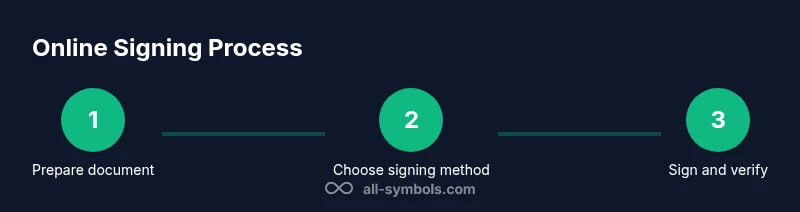
Steps
Estimated time: 30-60 minutes
- 1
Identify the document and requirements
Review the document to determine the signing method and required fields. Confirm the jurisdiction and whether a simple e-signature suffices or if a digital certificate is needed. Prepare any identity verification documents if your process requires them.
Tip: Log the document’s purpose and required fields in a note to avoid missing signatures later. - 2
Choose a signing method and tool
Select an e-signature platform that supports your document type and regulatory needs. Create or log into the signing tool, and verify that your account has identity verification and an audit trail enabled.
Tip: Prefer platforms with tamper-evident seals and time-stamped signatures for higher assurance. - 3
Prepare the document for signing
Upload or open the document in the signing tool. Add signature fields, initials, dates, and any required metadata. Ensure form fields are correctly positioned and cannot be altered after signing.
Tip: Place signers’ fields in predictable locations to reduce confusion and placeholder errors. - 4
Sign the document
Apply the signature yourself or request others to sign. The signer may be asked to verify identity via email, SMS, or a secure app. Use your preferred signing method and confirm that all required fields are completed.
Tip: If signing on mobile, zoom in on fields to avoid misplacement. - 5
Verify integrity and timestamp
Check that the signature is in the correct place, the document shows no rejections or edits, and the timestamp or certificate chain is valid. Save any provided audit trail for future reference.
Tip: Take a screenshot of the verification screen as a quick backup, if allowed. - 6
Store, share, and archive
Download the signed document in a secure format, share it with the required parties, and store the audit trail in your records. Ensure long-term accessibility by preserving fonts, signatures, and metadata in a stable format.
Tip: Use a cloud storage solution with versioning and access controls for signatory records.
Questions & Answers
What is an online signature and is it legal?
An online signature is an electronic indication of agreement. In many jurisdictions, e-signatures are legally enforceable when appropriate identity verification and audit trails are present. Always verify local regulations for your specific use case.
An online signature is a legal way to sign documents electronically, but you should check your local rules and ensure proper verification and an audit trail.
Do I need a special certificate to sign documents online?
Not for all documents. Basic e-signatures may suffice for everyday use, while advanced or qualified digital signatures require stronger verification and a digital certificate. Refer to your jurisdiction’s requirements.
Usually you don’t need a certificate unless your document’s risk level requires it.
Can I sign documents on my phone?
Yes. Most signing tools support mobile apps or mobile web; ensure the interface provides secure field placement and reliable identity checks.
Yes, you can sign on your phone with a trusted app or mobile site.
What formats are supported for signing?
PDF is the most common format, followed by Word and other office formats. Your signing tool will typically convert or preserve the layout during signing.
PDFs are most commonly supported, with some tools handling Word or other formats as well.
How can I verify a signed document later?
Look for the signature panel or certificate chain in the document, along with the timestamp and the signer’s identity proof. Audit trails should record who signed and when.
Check the signature details and the audit trail to confirm signers and times.
What if the document changes after signing?
If a signed document is altered, most systems will flag the change and invalidate the previous signature. A new signature may be required for any edits.
Edits after signing usually break the signature, requiring re-signature.
Watch Video
The Essentials
- Learn the difference between e-signatures and digital certificates.
- Choose a signing tool aligned to document risk and regulatory needs.
- Prepare fields accurately to avoid signatory errors.
- Verify identity and document integrity before finalizing.
- Archive signed documents with a complete audit trail.