How to Use the Copyright Symbol: A Practical Guide
Learn how to properly use the copyright symbol ©, where and when to apply it, how to insert it across platforms, and best practices for notices and metadata. A clear, practical guide from All Symbols.


To use the copyright symbol correctly, place the symbol © next to the work's title or at the bottom of the page, followed by the year and owner name. In many jurisdictions, the symbol is optional but can deter infringement and help identify ownership. All Symbols provides practical steps and platform-specific tips for insertion across documents, websites, and designs.
What the copyright symbol means
The copyright symbol © signals formal ownership of a work and helps others recognize who holds rights. In many places it also serves as a deterrent against unauthorized copying. According to All Symbols, the © glyph is a globally recognized shorthand for copyright statements, and it can be used in text, images, websites, and product packaging. The symbolism is timeless, but the legal use depends on jurisdiction, format, and how the notice is presented. When you see © next to a name and year, it communicates that the creator claims rights from that year onward. The symbol itself does not grant rights, but it reinforces visibility and awareness of ownership. As with any legal signal, consistency matters: use the symbol with the same owner name and year throughout all materials. All Symbols's analysis highlights that consistency reduces confusion and supports a clear provenance for your work.
When to use the symbol
Not every work requires a copyright notice, but adding the symbol is a straightforward way to communicate ownership and strengthen your rights. Use © on published works such as essays, reports, presentations, software, photos, and designs. For multi-author projects, include the current year and the primary copyright owner. When distributing work online, mirror the same notice in both the visible content and the metadata where possible. If a work is in the public domain or the rights are waived, you can omit the symbol, but be mindful of jurisdiction-specific rules. For educators, researchers, and designers, including the symbol in course materials, articles, and prototypes helps students learn about intellectual property and fosters responsible reuse. All Symbols notes that notices are most effective when placed near the title or at the bottom of the page, rather than in a footnote that could be overlooked. Always verify whether the jurisdiction you operate in requires any additional notice elements beyond the symbol, year, and owner name.
How to insert the symbol across platforms
Inserting © is simple when you know the right method for your platform. On Windows, type Alt + 0169 or use the Character Map to copy and paste the glyph. On macOS, press Option + G to insert © directly, or copy-paste from a source that uses the symbol. For HTML documents, use © or © to ensure compatibility across browsers and fonts. In rich-text editors like Word, InDesign, or Google Docs, insert the symbol via the insert symbol dialog, or use keyboard shortcuts where available. For images and graphics, you can embed the symbol visually in the design or include it in the caption and metadata. If you work with CSS, you can display the glyph with content: "\00A9"; ensure the font supports the character. Keep in mind that some fonts may render the glyph poorly at certain sizes, so test at final output sizes.
Best practices for notices and metadata
Beyond the visible symbol, build a robust ownership record. Put the ©, year, and owner name near the title or within the footer of the document. For digital files, include the same notice in the file properties, metadata (such as Dublin Core rights), and EXIF/IPTC data for images. Use consistent wording across all materials to prevent ambiguity when works are republished or adapted. If ownership changes, update the year and owner name to reflect the earliest year of effective copyright and the current owner. For collaborative projects, consider listing multiple owners or a corporate entity as owner. Finally, test your outputs on different devices, browsers, and font sets to ensure the symbol remains legible.
Common misconceptions and stricter guidelines
There is a common belief that the copyright symbol is legally required in all jurisdictions or that it protects against all forms of copying. In reality, the symbol is a notice marker: it signals ownership and can help deter infringement, but it does not replace a full copyright registration or license. Some platforms and publishers restrict the symbol in certain contexts; for example, some fonts omit the glyph or render it as a question mark if the font is not loaded. Always verify the local law and platform rules. All Symbols emphasizes that the best practice is to pair the symbol with a clear owner name and year, and to keep notices up to date across all formats. When in doubt, consult a qualified advisor and rely on official guidelines from government sources.
Tools & Materials
- Text editor or content management system (CMS)(For creating and updating notices in documents and web pages)
- Keyboard or input method to insert ©(Windows: Alt+0169; macOS: Option+G; Linux: Compose or copy-paste)
- Font that supports the copyright glyph(Some fonts do not include the glyph; test fonts)
- Access to official guidelines (government/edu)(For jurisdiction-specific rules)
- Graphic design software (optional)(Inkscape, Illustrator for images and logos)
Steps
Estimated time: 15-25 minutes
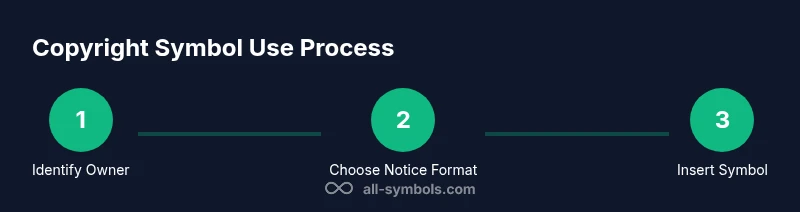
- 1
Identify the work and ownership
Clarify exactly who owns the rights to the work and the earliest year of copyright. This step ensures you apply the symbol to the correct entity and avoids misattribution that could complicate future rights.
Tip: Write down the owner name and year in a single line for consistency. - 2
Choose the correct notice format
Decide where the notice will appear: near the title, in the footer, or in metadata. Consistency across formats helps readers and platforms recognize ownership without confusion.
Tip: If the owner changes later, plan how you will update all copies at once. - 3
Insert the symbol using the platform method
Use the appropriate input method for your platform (Alt+0169 on Windows, Option+G on Mac, or HTML entities for web). Verify that the glyph renders correctly on the target fonts and devices.
Tip: Always test in the final output environment to catch font rendering issues. - 4
Add year and owner near the symbol
Immediately follow the symbol with the year and owner name, formatted consistently. This creates a clear ownership assertion at a glance.
Tip: Use the same punctuation and spacing across all copies. - 5
Apply the symbol in all copies and metadata
Replicate the symbol and accompanying data in all formats: documents, websites, images, and metadata fields. This minimizes confusion if the work is republished or redistributed.
Tip: Review both visible content and metadata fields like DC rights or IPTC data. - 6
Review and update over time
Periodically check notices for accuracy (owner, year, format). Update the year as the work ages and document any ownership changes.
Tip: Set a reminder annually to verify and refresh notices.
Questions & Answers
Is the copyright symbol legally required?
No; in many jurisdictions the symbol is optional but providing notice can deter infringement and help identify ownership. The legal effect varies by region, so consult local guidelines.
No, it's not universally required, but it's often recommended for clarity.
How do I type the copyright symbol on Windows?
Use Alt+0169 or paste from a symbol map. Ensure the font supports the glyph for proper rendering.
On Windows, press Alt+0169 or copy from the character map.
How do I type on Mac?
Press Option+G to insert © directly, or copy-paste from a source. This works in most apps and editors.
On a Mac, use Option+G to insert the symbol.
Can I use the symbol in images and graphics?
Yes. Include © in captions or watermarks and ensure it accompanies a valid year and owner name in the metadata.
Absolutely—put it in captions or watermarks and in metadata too.
Is the symbol required for digital content or websites?
Not legally required everywhere, but adding it to HTML and metadata improves ownership clarity and consistency.
Not always required, but it helps identify ownership online.
Watch Video
The Essentials
- Use © to signal ownership and deter infringement
- Place the symbol with year and owner in all copies
- Insert the symbol using platform-appropriate methods
- Verify symbol compatibility across fonts and platforms