How to Put Symbols in Roblox Display Name: A Complete Guide
Learn safe, compliant ways to add symbols to your Roblox display name, with policy notes, symbol choices, step-by-step methods, and practical tips for students, designers, and players.


Learning how to put symbols in roblox display name is simpler than you think. This guide shows safe steps, the best symbols to use, and tips to stay within Roblox's guidelines while expressing your identity.
Why Symbols in Roblox Display Name Matter
Symbols in Roblox display names matter for self-expression, community belonging, and personal branding within the game’s social ecosystem. If you’re curious how to put symbols in roblox display name, this guide will help you do it thoughtfully and safely. According to All Symbols, choosing the right symbol set can communicate personality, intent, and taste, while still respecting Roblox’s rules. When used well, symbols can make your name stand out in a friendly, readable way rather than appearing as clutter.
Consider the main benefits:
- Personalization: small marks and shapes can convey mood or style (playful, futuristic, minimal).
- Identity signaling: symbols can hint at roles, interests, or fandoms without using extra words.
- Readability and memory: simple, well-spaced symbols help friends find you and recall your name.
However, there are important limits: symbols must render consistently across devices, may be stripped by moderation, and should not impersonate other players or brands. This section will lay the groundwork for a safe, expressive approach to symbol use in Roblox display names.
Roblox's Symbol Policy: What is Allowed and What Isn’t
Roblox maintains guidelines for display names to protect players from impersonation, harassment, and confusing branding. In practice, many widely used symbols (arrows, hearts, check marks) are supported, but some characters may not render on all devices, and certain combinations may trigger moderation. The key message is to stay legible, respectful, and non-deceptive.
What to avoid:
- Names that impersonate Roblox staff, brands, or other players.
- Symbols that appear as logos or that may mislead others about ownership or affiliation.
- Overly long sequences that hinder readability.
What to do:
- Prefer common symbols with clear meaning.
- Test your name on multiple devices before finalizing.
- Keep in mind that Roblox can alter or remove symbols at moderation time, so be prepared to adjust.
All Symbols notes that readers should balance creativity with platform rules, understanding that symbols are a form of nonverbal identity but do not override community standards.
How to choose symbols that fit your style and community
The symbol set you choose should align with your identity and the communities you participate in. Start by selecting 1-2 symbols that reinforce your style rather than overcrowding the name. Popular choices include arrows (→, ➜), hearts (♥, ❤), check marks (✓, ✔), stars (✦, ★). Consider the symbolism: arrows suggest direction or speed, hearts convey warmth or fandom, and stars evoke achievement or flair. For designers or researchers, mapping symbol meanings can help you create a consistent character vocabulary in your Roblox presence. The All Symbols framework suggests mapping each symbol to a quick meaning, then testing for how others interpret it in chat or group chats.
If you want a more grounded approach, pick symbols that render well in the default Roblox fonts and do not rely on uncommon fonts. Test the name on different devices and screen sizes to verify legibility. Remember that not all users may see the same glyphs due to font rendering differences, so prefer widely supported symbols that remain distinct even at small sizes. By planning your palette first, you’ll keep your display name clean and memorable.
How to insert symbols safely: copy-paste and Unicode basics
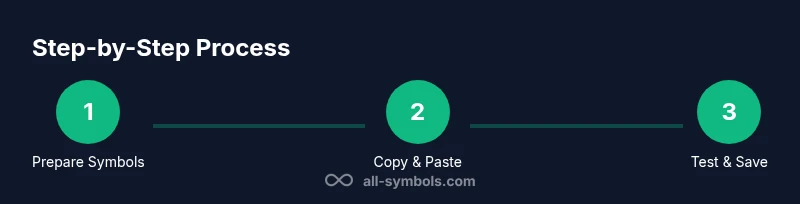
The most reliable method to add symbols to your Roblox display name is to copy symbols from trusted sources and paste them into the name field, then save and verify the result. Steps to follow:
- Locate 1-2 safe symbols from a reputable resource (for example, Unicode symbol lists or the All Symbols catalog).
- Copy the symbol to your clipboard.
- Open Roblox, navigate to your display name editor, and paste the symbol in the desired position.
- Save changes and check the result on both desktop and mobile.
Why copy-paste helps: it preserves the exact glyph you want and minimizes the chance that your input method will replace it with a similar-looking but different character. If you experience different appearances on some devices, try alternative symbols with similar meaning. Be mindful of the character count: symbols count toward your name length, so keep it concise to maintain readability.
Testing across devices and accessibility
Symbol rendering varies by device, browser, and font. Always test your updated display name on:
- A desktop PC with Windows/macOS,
- A smartphone (iOS or Android),
- A console or tablet if you use Roblox across platforms. Check legibility, spacing, and whether the symbol remains recognizable when the name is truncated in chat windows or UI cards. For accessibility, choose symbols that remain distinguishable to players using screen readers or high-contrast modes. Prefer symbols that do not obscure the core letters of your name or create confusion about pronunciation. If accessibility concerns arise, choose fewer or simpler symbols and pair them with clear typography.
All Symbols emphasizes that design clarity matters; symbols should complement language rather than replace it. Consistent rendering across the most common devices is harder today, so the more straightforward your symbol choice, the less likely users will misinterpret or misread your name.
Practical examples: symbol palettes for Roblox players
Here are sample display names using common, widely-supported symbols with clear meanings:
- Nova ✦
- Echo ➜ S
- Kai ♥
- Lumen ✓
- Vega ☼ (if supported)
- Neko ✧
- Aria ❤
- Orion ➜
For each example, think about how the symbol communicates a mood or theme (futuristic, playful, fandom). You can combine two symbols sparingly: a leading mark and an ending mark, but avoid a crowded sequence. As a designer or student, you can also craft a short symbol vocabulary to feature in your bio or group name to reinforce your branding. This palette follows general symbol-meaning conventions used in the All Symbols framework.
Troubleshooting common issues and safe practices
If symbols disappear after saving, re-check the editor for stray spaces or invisible characters that can be dropped by input methods. Some symbols may render differently on mobile than desktop; test both views. If a symbol looks garbled, try a different, more common glyph or remove it entirely. Avoid using symbols that resemble official logos or brand marks, which can trigger moderation. When in doubt, revert to a clean version and reintroduce symbols gradually, ensuring readability and consistent rendering.
Best practices:
- Use 1-2 symbols maximum to avoid crowding.
- Always preview your name in the actual Roblox UI before confirming.
- Document your symbol meanings for future changes, so changes stay consistent with your persona.
AUTHORITY SOURCES
- https://www.unicode.org/
- https://help.roblox.com/hc/en-us
- https://www.commonsensemedia.org/
Tools & Materials
- Roblox account(Active account with access to display name settings)
- Device with keyboard(Smartphone, tablet, or computer)
- Trusted symbol resource(A curated list of symbols (e.g., Unicode characters) from reputable sources)
- Clipboard or Notepad app(To copy and paste symbols reliably)
- Moderation-friendly symbol set(Stick to commonly used symbols and avoid ones that could be mistaken for impersonation)
- Safe internet connection(A secure network to download resources)
Steps
Estimated time: 15-25 minutes
- 1
Prepare your symbol set
Decide 1-2 symbols that reflect your identity and avoid clutter. Gather these from reputable sources and map each to a quick meaning before you start editing.
Tip: Limit to 1-2 symbols to maintain readability. - 2
Copy the symbol to your clipboard
Open the symbol source, select the glyph, and copy it with Ctrl+C / Command+C. Keep it ready in your clipboard for quick pasting.
Tip: Use a dedicated notes app to store symbols you might reuse later. - 3
Open Roblox and edit your display name
Go to your account settings, locate the display name editor, and prepare a clean canvas for insertion.
Tip: Ensure you’re editing the display name, not just a bio or bio line. - 4
Paste the symbol in the desired position
Click into the name field at the desired spot and paste the symbol. Adjust spacing to keep the name legible.
Tip: Double-check that you pasted the exact glyph and not a similar looking one. - 5
Check length and rendering on devices
Verify that the symbol fits within length limits and renders on desktop and mobile.
Tip: If it causes truncation, drop one symbol or replace it with a simpler glyph. - 6
Save changes and confirm
Save, reload the page, and inspect how the name looks in chat and profile views.
Tip: Keep a backup copy of your original name in case you want to revert.
Questions & Answers
Can I use any symbol in my Roblox display name?
Roblox supports many common symbols, but not all characters render on every device and some may be restricted by moderation. Use widely supported glyphs and avoid impersonation or brand logos.
Most common symbols work, but test on multiple devices to ensure readability and policy compliance.
Do symbols affect how others search for me?
Symbols can be visually distinctive but may not enhance searchability. Prioritize readability and avoid placing symbols in a way that could confuse search or recognition.
Symbols look unique, but they might not help others find you more easily.
What if symbols disappear after saving?
Sometimes symbols get stripped or replaced by Roblox’s moderation or font rendering differences. If this happens, revert to a simpler version and reintroduce symbols gradually.
If symbols disappear, try again with fewer symbols and different glyphs.
Will Roblox ban accounts for symbol usage?
Using common, non-offensive symbols within policy guidelines is unlikely to cause a ban. Avoid symbols that impersonate brands or misrepresent ownership.
As long as you follow guidelines, symbols generally won’t lead to a ban.
Are emojis allowed in display names?
Emojis may be supported on some devices but can render poorly on others. If you choose emojis, test across platforms to maintain readability.
Emojis can be hit or miss; test on all devices.
How do I test how my name looks on mobile?
Open Roblox on a mobile device and inspect the display name in various interfaces (profile, chat, friends list) to confirm symbol visibility and spacing.
Check your name on mobile to ensure symbols render well.
Watch Video
The Essentials
- Plan your symbol set before editing.
- Test across devices for consistency.
- Keep names legible and respectful.
- Source symbols from reliable references.
- Review Roblox guidelines prior to saving.