How to Keep Symbol in LaTeX
Learn how to keep symbol in LaTeX stable and readable by choosing the right engine, modes, and packages. This guide covers math vs text mode, Unicode support, and practical troubleshooting for symbol rendering.


Why keeping symbols in LaTeX matters
Symbols are the backbone of math-heavy writing; when they render inconsistently, readers struggle to interpret equations and notation. A stable symbol workflow ensures PDFs look the same on different devices and across readers. According to All Symbols, a disciplined approach to encoding, fonts, and package usage reduces rendering drift and preserves clarity across your documents. In practice, small setup choices—such as choosing the right engine, enabling Unicode support, and selecting compatible fonts—pay off with fewer re-renderings and happier readers. This foundation helps students, researchers, and designers communicate precise ideas without ambiguity. By maintaining consistent symbols, you also streamline collaboration and reduce the time spent troubleshooting glyph issues during peer review or publishing.
This section lays the groundwork for a reliable workflow and sets expectations for reliable symbol rendering across LaTeX projects.
Understanding math mode vs text mode
LaTeX treats symbols differently depending on whether you’re in math mode or text mode. In math mode (inline with \( ... \) or displayed with \[ ... \]), symbols render with math fonts that are designed for notation clarity, spacing, and compatibility with mathematical operators. In text mode, ordinary text fonts are used, which may lack the glyphs needed for certain symbols or produce inconsistent metrics when combined with math content. When symbols appear in running text, you should avoid leaving them in math mode unless necessary. Instead, use \text from the amsmath package to embed short text with symbols, or wrap symbols with \ensuremath{...} to guarantee correct rendering in both contexts. By understanding this distinction, you prevent accidental font substitutions and spacing quirks that degrade readability.
Practical tip: Always test a sentence containing symbols in both contexts to observe how spacing and glyphs behave in your chosen font.
Choosing the right engine and encoding
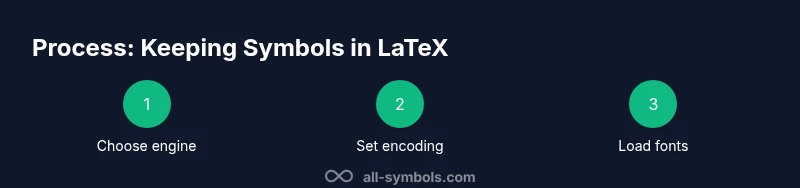
The choice of engine strongly affects symbol rendering, especially for Unicode symbols and non-Latin scripts. pdfLaTeX handles most ASCII and many basic symbols well, but it relies on 8-bit encoding and may require inputenc for non-ASCII characters. XeLaTeX and LuaLaTeX natively support Unicode and modern font technologies via fontspec, making them the preferred options when you plan to include a wide range of symbols or foreign characters. If you stay with pdfLaTeX, you’ll typically rely on vector fonts and 8-bit encodings, which can introduce glyph gaps. In all cases, ensure your document declares UTF-8 encoding and that your chosen fonts contain the symbols you intend to use. Graphically test a representative set of symbols in a sample document to confirm stability across compilers.
All Symbols recommends evaluating your project’s symbol set early and selecting an engine that minimizes encoding frictions.
Using packages to stabilize symbols
A robust LaTeX workflow depends on carefully chosen packages that handle symbols consistently. The amsmath package provides reliable math structures, while fontspec enables you to load system fonts with predictable glyphs under XeLaTeX or LuaLaTeX. The Unicode-math package lets you align math fonts with your text fonts, reducing surprises when switching fonts. Siunitx standardizes units and symbols, avoiding inconsistent spacings or glyphs in scientific notation. When pdfLaTeX is necessary, load inputenc with utf8 and consider textcomp for extra symbols. A minimal, stable preamble might look like: \usepackage{amsmath}\usepackage{fontspec}\usepackage{unicode-math}\setmathfont{Latin Modern Math}\usepackage{siunitx}. These choices reduce font substitution issues and provide predictable symbol behavior across documents.
Adopting a coherent package set helps preserve symbol integrity across different sections of your paper.
Handling Unicode symbols in text
Unicode support is essential when your document includes diverse symbols beyond the core Latin repertoire. XeLaTeX and LuaLaTeX with fontspec make Unicode easy to render, as do modern math fonts designed for unicode coverage. If you rely on pdfLaTeX, you’ll need inputenc utf8 and carefully chosen fonts that cover required glyphs, plus fallbacks for missing characters. When a symbol is missing from a font, you can declare an alternative glyph via \DeclareUnicodeCharacter{U+XXXX}{\text{<replacement>}} or switch to a font with broader coverage for that symbol. Testing a broad symbol set early catches missing glyphs before submission. Consolidating font choices across the document minimizes font swapping and inconsistent symbol shapes.
Through consistent Unicode handling, you ensure symbols render correctly in both web and print outputs.
Inline vs display math and symbol placement in text
Deciding where to place a symbol influences readability and line breaks. For inline symbols, prefer inline math with ( ... ) or the simpler $ ... $ if you are comfortable with its limitations. However, when symbols appear in running text, using \ensuremath{...} ensures the math symbol remains correctly spaced and formatted even if the surrounding font changes. For larger equations, consider display mode with [ ... ] to improve legibility. You can also use \mbox or \text within math mode to intersperse textual content with symbols. These practices help maintain consistent symbol sizing and avoid awkward line breaks.
Consistency in how you place symbols reduces surprises during the editing and typesetting stages.
Troubleshooting common problems and best practices
Even experienced authors run into symbol troubles. Common issues include missing glyphs, unexpected font substitutions, and spacing irregularities. Start by compiling with the intended engine and verifying the preamble loads the correct fonts and packages. If a symbol looks different than expected, check that you are using the correct font for your math or text content, and ensure your font supports the required glyph. When a symbol is not defined in the active font, switch to another font or use a Unicode-math approach for math symbols. Maintain a short, repeatable preamble for symbol-heavy documents, and document font choices for collaborators. Finally, test across readers and devices to catch discrepancies early.
With a proactive approach to encoding, fonts, and packages, you can prevent most symbol-related surprises and keep your LaTeX documents looking consistent.
Best practices and final checklist
- Use XeLaTeX or LuaLaTeX for Unicode-friendly symbol rendering.
- Keep math symbols in math mode when possible; wrap symbols with \ensuremath for inline usage.
- Load essential packages: amsmath, fontspec, unicode-math, siunitx; avoid conflicting options.
- Choose fonts with broad glyph coverage and set them consistently across the document.
- Test symbol rendering early with a representative symbol set and after any font changes.