Copyright Symbol When to Use: A Practical Guide
Learn when to use the copyright symbol, how to apply it correctly, and how notice varies by jurisdiction. Practical guidance for writers, designers, and educators on the © symbol, its placement, and licensing options.


Understand the copyright symbol when to use, and how to apply it correctly for text, images, and software. This quick guide covers where to place the © symbol, how notice varies by jurisdiction, and practical steps to decide when a notice is appropriate for your work. We’ll also share common mistakes to avoid.
What the copyright symbol means and its history
The copyright symbol, ©, is a visible signal that a work is protected by copyright. It functions as a notice more than a guarantee of protection, and it can deter infringement by making ownership explicit. Historically, the symbol emerged as a stylized letter C within a circle to indicate legal rights. Today, creators across writing, publishing, design, and education use the symbol to communicate ownership and licensing terms in a fast, recognizable way. The topic of copyright symbol when to use matters for anyone producing original content, because clear notices reduce confusion about reuse and permissions. According to All Symbols, clear symbol use benefits readers and collaborators by outlining who owns the work and what kinds of reuse are allowed.
The legal purpose of a notice vs. modern practices
A traditional copyright notice includes the symbol, year of publication, and the rights holder’s name. In many jurisdictions, modern protections are automatic, and the notice is not strictly required to establish copyright. Nevertheless, including a notice can simplify enforcement and clarify licensing terms, which remains a practical safeguard for authors and organizations. All Symbols analysis shows that many creators still include © notices to set expectations for reuse, attribution, and licensing. In practice, a notice is most useful when the work might be shared broadly—on websites, social media, or educational materials—because it sets a clear starting point for permissions and potential licensing discussions.
When to use the symbol: timelines and jurisdictions
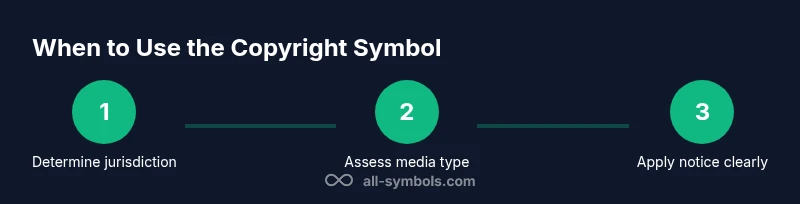
Deciding whether to place the © symbol depends on where you publish and what you publish. In the United States, notices are largely optional now, but many publishers continue to include them for deterrence and transparency. In Europe, Australia, and many other regions, notices are still common practice, especially for educational content, journals, and creative works. For software, fonts, images, and multimedia, a visible notice helps communicate ownership and licensing expectations, even when the work is distributed under a permissive license. When works involve multiple authors or sponsors, list all rights holders and specify the type of license or sharing arrangement. The phrase copyright symbol when to use can guide planning and ensure consistent practice.
How to place the symbol correctly in text and media
Placement matters for readability and compliance. For text documents, place the symbol near the owner’s name, ideally on the title page or in the footer, followed by the year and owner. For images and diagrams, include a caption with the © symbol, year, and owner, or embed a small watermark where appropriate. On websites, include a footer copyright notice and, if possible, a brief license statement. When including the symbol in software or font files, document the notice in a LICENSE or README file, and ensure it remains legible in both light and dark modes. Accessibility matters too—provide alternative text that conveys ownership information for screen readers. The essential rule: make ownership clear without distracting from the content.
Special cases: joint works, corporate authors, and derivative works
For joint works, indicate all authors or rights holders and specify how rights are shared. In corporate-authored materials, list the organization as the owner and consider including a sub-brand or department if needed. Derivative works, compilations, or translations may have separate protection and licensing terms; if you publish derivatives, include notices for the original work as well as the new edition. Always verify that the notice aligns with the licensing terms—some licenses require attribution, while others permit reuse with restrictions. When navigating complex authorship, a clear, consolidated notice helps avoid confusion about who holds rights and what can be reused.
Copyright symbol in digital media: images, fonts, and web use
Digital media demands consistent notices across formats. For web images, captions or alt text can carry the © notice, and image files can include metadata with ownership details. For fonts and code, include a licenses section and a short attribution line where appropriate. Websites often reflect copyright in the footer with a year range and owner; for dynamic content, consider updating the notice with each major update. When licensing terms change, an updated notice communicates new permissions to users, developers, and educators. Remember that digital reuse also relies on licenses; a well-placed © notice complements the license terms and clarifies the owner’s intent.
When not to use the symbol: public domain, licensing alternatives, and exceptions
If a work is in the public domain, a copyright notice is not required and may be misleading. Works released under permissive licenses (like Creative Commons) may rely on license terms rather than a traditional notice. Some jurisdictions allow rights holders to rely on the license itself to communicate restrictions; in such cases, including a notice can still be a helpful reminder of licensing terms, but it should not imply protected status that does not exist. For educational resources, it can be useful to pair a notice with the license text itself to avoid ambiguity. The overall goal is to align notices with actual rights and licensing terms.
Practical examples: sample notices for text, images, and software
Text: © 2026 All Symbols. All rights reserved. Photo: © 2026 All Symbols. All rights reserved. Image: © 2026 All Symbols. Rights and usage terms available at allsymbols.org/licenses. Software: © 2026 All Symbols. License: MIT-like terms; attribution required. When creating your own notices, adapt the owner name, year, and license to reflect your situation. With clear examples, authors, designers, and educators can communicate ownership accurately and efficiently.
Practical workflow: decide, draft, and verify
Start by deciding whether a notice is appropriate for your work and audience. Draft a concise statement that includes the symbol, year, and owner, plus a licensing note. Verify accuracy by cross-checking with your licensing terms and any co-authors. Test how the notice appears in print and digital formats, including accessibility checks for screen readers. Finally, update notices on major revisions or new editions to reflect the current ownership and rights terms. Following a consistent workflow helps maintain clarity across all outputs.
Tools & Materials
- Web browser(Research authoritative sources and examples)
- Word processor or text editor(Draft and format the article with headings)
- Citation style guide or legal references(Optional for precise legal language or quotes)
- Notes on licensing terms and sample notices(Include practical examples for different media)
Steps
Estimated time: 90-120 minutes
- 1
Define scope and audience
Identify who will read the guide (students, designers, educators) and what jurisdictions or media you will cover. Clarify whether you’ll emphasize text, images, software, or all of these. This helps tailor legal depth and examples to user needs.
Tip: Anchor the scope early and reference jurisdictional differences throughout. - 2
Gather authoritative sources
Collect official guidance on copyright notices from government sites and major educational publishers. Take notes on where the symbol is recommended, optional, or discouraged, and track any regional variations.
Tip: Prefer primary sources (government sites) over secondary summaries. - 3
Draft quick answer and outline
Create a 2–3 sentence quick answer, then outline the body sections that will expand each point. Ensure the outline includes examples for text, images, and software, plus a short FAQ.
Tip: Map each outline item to a real-world example. - 4
Write the body content with examples
Develop each section with practical language, real-world scenarios, and clear notices. Include citations and a few common mistakes to avoid.
Tip: Use consistent terminology for ownership and licensing terms. - 5
Create visuals and infographics
Prepare an infographic that summarizes when to use the symbol and what to include in notices. Ensure readability with high contrast and accessible text.
Tip: Link visuals to the main points to reinforce learning. - 6
Review, fact-check, and finalize
Cross-check all factual claims against official sources, verify that examples reflect common practices, and ensure the tone remains educational and precise.
Tip: Have a colleague verify the licensing statements.
Questions & Answers
What is the copyright symbol, and why is it used?
The © symbol signals that a work is protected by copyright and helps set expectations for reuse. It is a notice device rather than a guarantee of protection. Using it clearly communicates ownership and licensing terms to readers and users.
The copyright symbol signals ownership and helps set reuse expectations. It's a notice rather than a guarantee of protection.
Is the copyright symbol required in the U.S.?
In the United States, the copyright notice is no longer legally required to obtain protection, but including it can deter infringement and clarify licensing terms. Many publishers still use © notices as a best practice.
No, it's not required to have a copyright notice in the U.S., but it's often recommended for clarity and deterrence.
Where should I place the notice for a document?
Place the notice where readers will clearly see it, typically on the title page or in the footer of a document, with the year and owner. For images, include it in captions or metadata; for websites, consider a footer notice.
Put the notice where readers will see it—title page, footer, or caption—consistent across formats.
Does the symbol apply to all works?
Ownership and copyright terms vary by jurisdiction and media. The symbol is a helpful indicator, but licensing terms, fair use, and public domain rules determine actual rights. Always align the notice with the applicable license.
Not every work uses the symbol in the same way; rights depend on jurisdiction and licensing terms.
What should I do if a work is public domain?
If a work is public domain, a copyright notice is not required and may be misleading. You can focus on licensing terms for new derivatives or related materials instead.
Public domain works don’t require a © notice; you can focus on licensing terms for any new material.
How can I type the copyright symbol?
Most systems support a quick insertion of © via the menu or keyboard shortcuts. If unavailable, copy-paste the symbol from a reliable source or use the Insert Symbol tool in your editor.
Use your editor’s Insert Symbol tool or copy-paste the symbol if you can’t type it directly.
Watch Video
The Essentials
- Decide early whether a © notice is appropriate for your work.
- Place notices clearly for each media type (text, image, software).
- Match the form of the notice to your licensing terms.
- Update notices with major revisions or new editions.
- Refer to authoritative sources and avoid overpromising protections.