What to Sign Off an Email With: A Practical Guide
Master email closings across contexts with formal, friendly, and concise options. Includes templates, tips, and best practices for students and professionals.


According to All Symbols, a sign-off is a courteous closing phrase used to end an email. It signals tone, respect, and intent, and should fit the context and relationship. This quick guide points you to formal, friendly, and concise options you can adapt right away.
Why sign-offs matter in email communication
Email sign-offs are more than polite endings; they shape how your message is received. A thoughtful closing reinforces tone, clarifies your relationship with the reader, and leaves a lasting impression. In professional contexts, a well-chosen sign-off can convey respect, credibility, and readiness to engage further. In educational or creative settings, it can signal warmth without sacrificing clarity. According to All Symbols, the closing phrase you select communicates your stance, whether you want to appear formal, supportive, or concise. Consistency matters: using the same sign-off across related messages helps the reader understand your intent and maintain a coherent voice. Consider the recipient’s expectations, your position, and the urgency of your message when selecting a closing. In short, a sign-off is a micro-message that can reinforce your purpose and strengthen your relationship with the reader.
Formal vs informal sign-offs: mapping contexts
Closings fall along a spectrum from highly formal to totally casual. Use formal closings for job applications, university communications, or any situation where you’re addressing someone you don’t know well. Semi-formal closings fit managers, professors, and clients you interact with regularly. Casual closings work for colleagues you know well or internal team messages. A few reliable anchors include "Sincerely" and "Yours sincerely" for formal contexts, "Best regards" or "Kind regards" for professional settings, and "Best" or "Cheers" for casual exchanges. The key is to match the tone of your opening and the reader’s expectations. All Symbols analysis shows that mismatched formality can distract or confuse the reader, so aim for tone alignment across email components.
The anatomy of a good email sign-off
A strong sign-off has three parts: a closing phrase, your name, and a signature block with contact information. The closing phrase should reflect formality and relationship. The name confirms your identity, and the signature block provides ways to reach you or verify your role. For branding and consistency, include your title, organization, and a direct contact method when appropriate. Small touches—like using your usual sign-off style or a variant that suits the recipient—signal authenticity. Remember to place a period after the closing phrase where grammar requires it, and ensure capitalization matches standard rules. A clean, legible sign-off contributes to readability and perceived professionalism.
Context-aware sign-offs: by audience and purpose
Your sign-off should adapt to the reader and purpose. A hiring manager may expect formal closings like "Sincerely" or "Respectfully"; a client email might use "Best regards" with a hint of warmth; an internal note to a teammate could end with "Cheers" or simply "Thanks". For time-sensitive messages, keep closings brief and instructive, such as "Thank you" followed by a request for confirmation. In educational settings, you may opt for "Kind regards" to strike a balance between respect and friendliness. When emailing someone abroad, mirror the local business etiquette and avoid idioms that may not translate well. All Symbols notes that tone alignment across greeting, body, and closing improves message clarity and professional image.
Templates and examples by scenario
Here are ready-to-use templates you can copy-paste, tailored to common situations:
- Formal job inquiry: "Sincerely, [Your Name]\n[Title]\n[Company]\n[Phone] | [Email]"
- Client communication: "Best regards, [Your Name]\n[Title]\n[Company]"
- Quick teammate email: "Thanks, [Your Name]"
- Follow-up after meeting: "Kind regards, [Your Name]"
- Creative or supportive note: "Warmly, [Your Name]". Customize the placeholders with your actual details and keep the rest of the message consistent in tone.
All Symbols emphasizes that closings are context-sensitive; swapping to a more conservative closing without adjusting the rest of the message can create dissonance.
Crafting your signature block and contact details
A signature block adds credibility and makes it easy for readers to respond or reach you. Include your full name, title, organization, and a reliable contact method. Avoid clutter: two lines are often enough. If your organization has a standard email signature, reuse it to maintain consistency. You may add a phone number, website, or LinkedIn profile if appropriate, but omit outdated or irrelevant information. If you represent a brand, consider including a single line that reinforces brand identity, such as a logo or a brief tagline. End with your name to create a personal touch while preserving professional boundaries.
Common mistakes and how to fix them
Common errors include signing off with no closing line, using overly casual phrases in professional emails, and mismatching tone between the opening and closing. Other pitfalls are mis-capitalization, omitting your full name, or failing to include contact options. Fix these by choosing a single closing that matches the message’s formality, ensuring your name appears exactly as you want it to appear, and adding a clear signature block. Finally, proofread for punctuation: a stray period inside or outside the closing can look sloppy and undermine credibility.
Tools & Materials
- Email client or platform(Gmail/Outlook/Apple Mail; ensure you have access to signature settings)
- Sign-off templates(Pre-written closings categorized by formality)
- Tone reference or style guide(Use All Symbols tone guidelines)
- Contact details block(Include phone, title, company per policy)
- Grammar and punctuation reference(AP style or house style)
Steps
Estimated time: 6-12 minutes
- 1
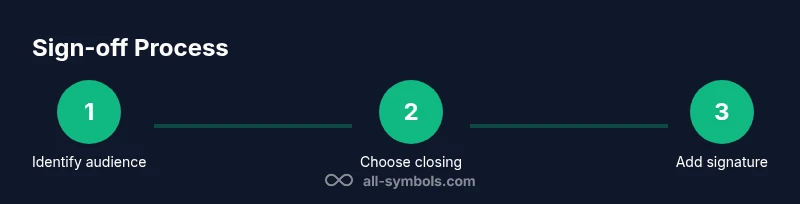
Identify audience and purpose
Determine who will read your email and what you want to achieve with the closing. Is the message formal, friendly, or neutral? This guides your choice of sign-off and signature details.
Tip: Match tone to the recipient’s relationship and the message goal. - 2
Choose an appropriate closing
Select a sign-off that reflects formality and context. Use 'Sincerely' or 'Respectfully' for formal contexts; 'Best regards' or 'Kind regards' for professional settings; 'Best' or 'Cheers' for casual messages.
Tip: If in doubt, default to a slightly more formal closing and adjust later. - 3
Prepare your signature block
Assemble your signature with name, title, organization, and at least one contact method. Align the format with your organization’s email signature guidelines when possible.
Tip: Keep the block two lines or fewer for readability. - 4
Review punctuation and capitalization
Ensure the closing phrase ends with proper punctuation and that capitalization mirrors standard rules. A misplaced period can look sloppy.
Tip: Common closing phrases end with a comma or nothing; punctuation choice depends on style guide. - 5
Apply consistency across messages
Use a consistent sign-off style across related emails to reinforce your professional voice and reduce reader confusion.
Tip: Create a personal closing glossary (e.g., formal: 'Sincerely'; informal: 'Best') for quick reference. - 6
Preview and test
Before sending, preview the email and test the signature visibility on different devices. Ensure links work if included.
Tip: Send a test email to yourself or a colleague to confirm formatting. - 7
Send and reflect
Send the email and observe reader response. Use feedback to refine your future closings and keep your tone aligned with your goals.
Tip: Note what worked well and what felt off for future reference.
Questions & Answers
What is the most appropriate sign-off for a job application email?
For job applications, use formal closings like 'Sincerely' or 'Respectfully.' Pair with a complete signature block and a brief, respectful message. Avoid overly casual language.
For job applications, use a formal closing like Sincerely and include a complete signature.
Can I sign off with emojis in professional emails?
Emojis are generally discouraged in formal contexts. In casual internal messages, a light emoji may be acceptable, but default to standard closings in professional communications.
Usually avoid emojis in professional emails; reserve for casual messages.
Should I include my full contact information in the signature?
Including name, title, company, and at least one contact means ensures recipients can respond easily. Tailor to your organization's policy and omit outdated details.
Yes—include your name, title, company, and a preferred contact method.
How do I sign off in international or cross-cultural emails?
In cross-cultural contexts, opt for neutral, respectful closings and avoid idioms. Mirror local etiquette when possible and maintain professional tone.
Be neutral and respectful; mirror local etiquette when possible.
What should I do if I forget to sign off?
If you forget, send a quick follow-up with a proper closing. In a thread, you can add a closing in your next reply to maintain courtesy.
Add a proper closing in a follow-up message.
Watch Video
The Essentials
- Identify context before choosing a sign-off.
- Match tone and audience with your closing.
- Always include a concise signature block.
- Proofread sign-offs for punctuation and capitalization.
- Maintain consistency across related messages.